Cookery and Cutlery: A Feast for Modern Visual Design
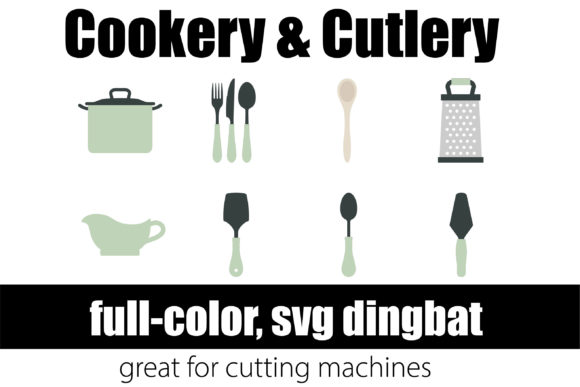
Imagine a design asset that instantly communicates warmth, creativity, and a shared human experience. The Cookery and Cutlery dingbat font does exactly that, transforming simple text into vibrant culinary iconography. This full-color SVG font, featuring cutlery and cookery elements that match the “Let’s Cook” product, is more than a novelty—it’s a powerful tool for visual storytelling in graphic design. By leveraging OpenType color fonts, designers can inject personality and thematic clarity into projects with unprecedented ease.
Understanding the Power of Full-Color SVG Fonts
Unlike traditional fonts limited to solid colors, OpenType full-color (SVG) fonts like Cookery and Cutlery embed multi-colored, detailed vector graphics directly into the font file. This technology allows for intricate, pre-colored icons to be typed as easily as letters. The result is a seamless integration of imagery and typography, crucial for creating cohesive brand identities and engaging marketing materials. The visual impact is immediate, offering a modern aesthetic that captures attention in a crowded digital landscape.
Practical Applications for Designers and Creators
The utility of a thematic dingbat font spans numerous creative projects. Its consistent style ensures visual harmony across various platforms, from social media graphics to packaging design. Consider how these assets can elevate your work:
- Branding and Logo Design: Create unique logomarks or supporting icon sets for food blogs, restaurants, kitchenware brands, or cooking classes. The built-in color palette helps maintain brand consistency.
- Marketing and Social Media: Design eye-catching Instagram stories, Pinterest pins, or promotional flyers. The icons are perfect for creating visual hierarchies and breaking up text-heavy content.
- Editorial and Web Design: Enhance recipe blogs, digital magazines, or UI elements for food-related apps and websites. The scalable vectors ensure crispness on any screen.
- Packaging and Merchandise: Add professional, playful accents to product labels, menus, or promotional merchandise like aprons and tote bags.
Integration and Best Practices
To use Cookery and Cutlery effectively, treat it as a core component of your design workflow. Install it like any standard .OTF font via FontBook on Mac or your preferred manager on Windows. While it displays as black in non-compatible programs, full support is available in Adobe Illustrator, Photoshop, Silhouette Studio, QuarkXPress, and Inkscape. Here are key tips for evaluation and implementation:
- Audience Alignment: Ensure the playful, illustrative style resonates with your target demographic and project goals. It’s ideal for casual, creative, or family-oriented contexts.
- Visual Hierarchy: Use the icons strategically to guide the viewer’s eye. They work best as accents, decorative elements, or simple infographics rather than body text.
- Compatibility Check: Always test the font in your specific software. Remember that color may only appear when typing on the document canvas, not in all preview windows.
- Scalability: As vector-based assets, these icons scale without loss of quality, making them versatile for both print design and digital applications.
Ultimately, the Cookery and Cutlery font exemplifies how specialized creative assets can streamline the design process while enhancing visual communication. By thoughtfully integrating such resources, designers and business owners can craft more compelling narratives, strengthen brand recall, and deliver polished, professional presentations that resonate deeply with their audience. In the evolving landscape of digital content, having the right tools at your fingertips is key to creating memorable and effective design.